Laser Engravers in 2026: Pick by the Material You Cut
Laser engravers are diode vs CO2 before anything else. The 2026 guide to wattage, enclosure, air assist, and the materials each laser type actually cuts.
By the Ask Versa AI Editorial Team. Ask Versa AI content is AI-assisted and editorially reviewed before publishing; specs and review sentiment are pulled live from Amazon.
Start With What You Want to Cut
A laser engraver can turn a hobby into a small business overnight: custom signs, engraved tumblers, personalized gifts, and product labels all sell. Prices have collapsed while capability has jumped, so a capable desktop machine now costs what a basic 3D printer did a few years ago.
But buying the wrong laser type is an expensive mistake, because the material you want to cut dictates the laser you need. Clear acrylic, bare metal, and hardwood each point to a different machine. Get that mapping right first and the rest of the spec sheet falls into place.
This guide covers desktop CO2, diode, and fiber machines for makers. It does not cover industrial cutters.
Match the Laser to the Material
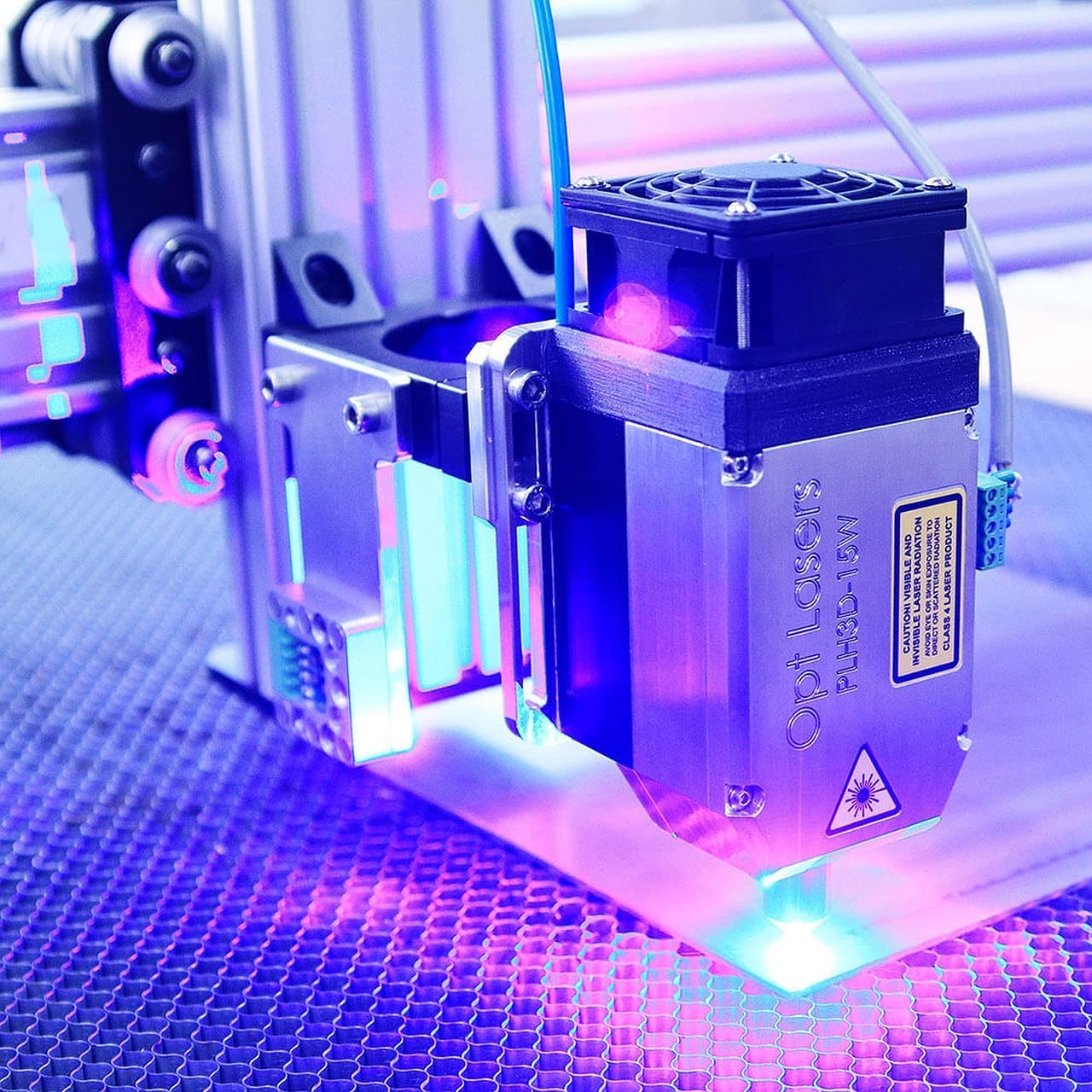
Diode (blue) lasers are the most common desktop machines and the cheapest entry. They engrave and cut wood, leather, paper, and dark plastics well. The hard limit: most diodes can't engrave clear acrylic or cut clear materials cleanly, and they're slower than CO2. If your work is organic materials on a budget, a diode is the tool.
CO2 lasers cut and engrave clear acrylic, wood, rubber, glass, and stone far better than diodes, and they're faster and more versatile. The cost is price, size, and maintenance, since the tube eventually needs replacing. The cheap entry is the classic K40; pro CO2 machines run into the thousands.
Fiber lasers are the only desktop option that directly marks metal: stainless, titanium, anodized aluminum, tools, and jewelry. They're expensive and specialized. Buy one if metal marking is your main use, otherwise skip.
Diode-plus-IR combo machines (some xTool and TwoTrees models) pair a diode with an infrared source so you can do wood and also mark metal and plastic. A reasonable compromise if you can't decide and want to do a bit of everything.
| Material | Diode | CO2 | Fiber |
|---|---|---|---|
| Wood, leather, paper | Good | Good | N/A |
| Clear acrylic | Poor | Excellent | N/A (marking) |
| Bare metal | No (IR add-on can) | Limited | Excellent |
| Entry price | Lowest | Medium to high | High |
Then Size Power and Work Area
Power sets cut speed and max cut thickness, not just engraving quality.
Higher wattage means faster cuts, thicker material, and less charring when paired with air assist. For the work area, bigger isn't always better. A 300×300 mm bed covers most gifts and signs; large furniture panels need a 600×400 or bigger machine. Match the bed to your real projects, and check for a pass-through slot if you want to cut long material.
Air Assist and an Enclosure Are Not Optional
Two safety features separate a machine you'll keep from one that scares you.
Air assist blows a stream of air at the cut point. It reduces charring, speeds cuts, and dramatically lowers fire risk. If you'll cut and not just engrave, air assist is mandatory, so buy a machine with it or add one.
An enclosed, Class 1 machine with a fully interlocked lid is far safer and cleaner than an open frame, especially with kids or pets in the house, and it contains smoke and fumes. Open-frame diodes are cheaper, but they demand laser safety glasses, constant supervision, and discipline.
Engraving wood, and especially plastics, produces smoke, so plan for either ventilation to a window (a hose and exhaust fan) or a standalone fume extractor with a filter. Budget for this. It's not optional for indoor use.
And two hard rules that aren't negotiable: never run a laser unattended, and keep a fire extinguisher nearby. A focused beam can ignite material in seconds. Never cut PVC or vinyl, which releases toxic chlorine gas that corrodes both the machine and your lungs.
What to Ignore on the Spec Sheet
Frequently Asked Questions
What is the best laser engraver for beginners?
A 10-20W enclosed diode. It's safe, affordable, and capable on wood, leather, paper, and dark plastics. xTool, Creality, TwoTrees, and Sculpfun all make popular enclosed diode machines that are forgiving for first-time users.
What is the difference between a diode and a CO2 laser?
A diode is cheaper and great for wood, leather, and paper but struggles with clear acrylic. A CO2 costs more but cuts and engraves clear acrylic, rubber, and glass far better and is faster. Choose diode for budget organic-material work, CO2 if acrylic or higher throughput is the priority.
Can a diode laser engrave metal?
Most blue diode lasers can't engrave bare metal. To mark metal you need a fiber laser, an infrared (IR) module (some diode machines offer an add-on IR head for light metal and plastic marking), or a diode-plus-IR combo machine.
What wattage laser do I need to cut wood?
Roughly: a 10-20W diode cuts about 3-5mm plywood in a pass, a 20-40W+ diode handles roughly 10mm wood, and a 40W+ CO2 cuts wood and acrylic efficiently. Higher wattage means faster cuts and thicker material, plus less charring with air assist.
Are cheap open-frame diode lasers safe?
They can be used safely, but they require laser safety glasses, constant supervision, fire awareness, and good ventilation. For a home with kids or pets, an enclosed, interlocked (Class 1) machine is dramatically safer and worth the extra cost.
Budget for the Accessories, Not Just the Laser
The machine is only part of the bill. Air assist and exhaust hardware often come extra or underspecced; budget $50-200 for proper fume extraction. LightBurn runs ~$60-90 and most machines don't include it. Plywood, acrylic, and nice hardwoods add up fast once you're prototyping. And the fire and eye risk is real on any open machine, so factor in safety glasses and an extinguisher before the first cut.
A matching "20W" label tells you nothing about how deep each machine really cuts or how often it jams. Feed the two listings to Ask Versa AI and the verdict is built from owners who burned through the same materials you will.
Shop smarter with Ask Versa AI
Get occasional product-comparison tips and new features as they ship. No spam.