HUANUO vs VIVO Monitor Arm: The $3 Difference That Isn't
HUANUO FlowLift and VIVO's classic arm cost within $3 of each other but differ on monitor size range, spring design and warranty. Here's the split.
By the Ask Versa AI Editorial Team. Ask Versa AI content is AI-assisted and editorially reviewed before publishing; specs and review sentiment are pulled live from Amazon.
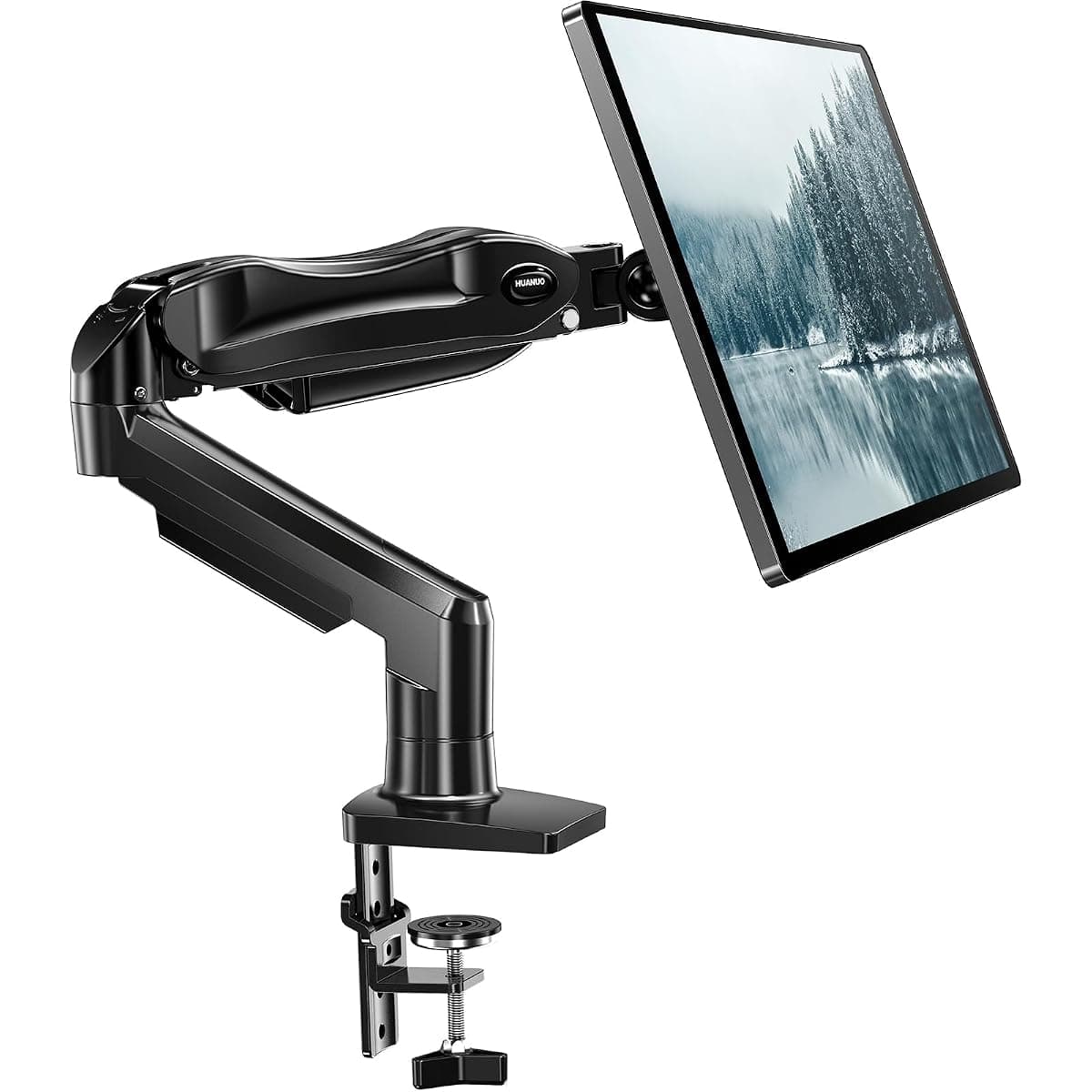
The HUANUO FlowLift and the VIVO STAND-V001O are the two single-monitor arms Amazon keeps recommending to the same shoppers. They sit $3 apart at $36.99 and $39.99, both hold up to 19.8 pounds, and both cover the standard VESA patterns. They are also built on opposite arm philosophies, which is why one has 16,555 ratings at 4.6 stars and the other 2,812 at 4.3.
Gas spring versus mechanical spring
The VIVO uses a mechanical (spring-loaded) articulating design: you adjust tension with a tool, and the arm holds position through mechanical advantage. Its selling point is toolless monitor placement after setup, with a wider tilt range for frequent angle changes, such as a screen you tilt down to sketch and back up to type.
The HUANUO FlowLift is a gas-spring arm: a pressurized cylinder carries the weight, so height adjustments take one hand and happen without retensioning. Gas springs are the design every premium arm (Ergotron, Humanscale) uses, because daily sit-stand switching demands effortless motion.
The compatibility edge
Here is the specification that most reviews bury. The HUANUO accepts 13 to 32 inch monitors from 4.4 to 19.8 pounds; the VIVO starts at 17 inches. If your second screen is a compact 13 or 15 inch display, the VIVO's minimum-size floor can physically fail to hold it up, because the spring tension cannot be relaxed enough. HUANUO's lower floor and dual clamp-plus-grommet mounting also widens the desk range it works on.
VIVO's counterweights are a longer track record as an office-furniture brand, an all-steel build with a thicker desk-clamp tolerance, and the wider tilt range noted above.
What the rating volumes tell you
A 4.6-star average across 16,555 ratings is a harder claim to fake than 4.3 across 2,812. HUANUO's complaint cluster centers on shipping damage and missing hardware, both replaceable; VIVO's centers on tension adjustments and wobble at full extension. Neither arm is weak at its rated load; both wobble if you push a 32-inch panel to the arm's limit on a shallow desk.
The decision
Daily height adjustment, sit-stand switching, or a small 13 to 16 inch monitor: the HUANUO FlowLift at $36.99, and its rating base says thousands agree. A screen you tilt often but never raise, a thicker desktop, or brand-line loyalty to your existing VIVO gear: the STAND-V001O earns its $3 premium.
Arms are also the component most worth pairing with the right desk, since clamp compatibility decides the purchase. Versa AI's comparison tool checks any two listings side by side, including the desk-fit specs most product pages blur.
Frequently Asked Questions
Are cheap monitor arms worth it?
Under $50, gas-spring arms like the HUANUO FlowLift deliver most of the premium-arm experience for single monitors under 20 pounds. What cheap arms give up is polish: plastic covers, coarser tension dials and occasional shipping damage. For dual or ultrawide setups, step up the weight class.
Will a monitor arm fit my desk?
Check three numbers: desk thickness (most arms clamp 10 to 90 mm, grommet mounting adds options), the position of any crossbeam under the desk, and available depth behind the monitor. The HUANUO ships both clamp and grommet bases; thick or bevel-edged desktops favor grommet mounting.
What does VESA 75x75 and 100x100 mean?
It is the screw-hole pattern on the back of your monitor. Nearly every 13 to 32 inch monitor uses one of these two patterns; if your monitor lacks VESA holes, you need an adapter bracket, which is the most common monitor-arm compatibility failure.
Can a monitor arm hold an ultrawide monitor?
Only within its weight and size ratings. Both compared arms top out at 19.8 pounds and 32 inches, which excludes most 34-inch-plus ultrawides. Ultrawide owners should look at arms rated to 33 pounds or more, such as VIVO's and Ergotron's heavy-duty models.
Shop smarter with Ask Versa AI
Get occasional product-comparison tips and new features as they ship. No spam.